



Microsoft has made available the optional KB5037853 update for Windows 11, which includes enhancements like drag and drop functionality in the File Explorer address bar. Users can download this update manually via Windows Update.
News Update
- A new page has been added to manage devices associated with a Microsoft account.
- Microsoft account promotions and benefits are offered in the Start Menu to encourage the use of a Microsoft account over a local account.
- The Fixed File Explorer experiences a delay when starting up.
- Prevent unintentional closure of the share window.
- Move files between items in File Explorer by dragging them.
- Manage linked devices on a new page.
- Generate QR codes for web links and documents.
- Backup audio configurations.
Functionality where items can be moved by dragging and dropping.
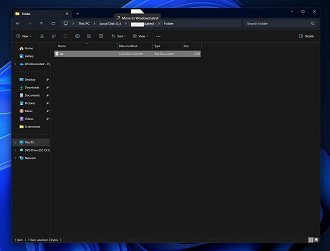
The drag and drop feature in the File Explorer address bar is reintroduced in this update after being removed earlier due to time constraints during the redesign of Explorer.
Corrections in Performance
The update addresses performance problems like slow loading in File Explorer when opening a folder in Quick Access.
How can I update?
To acquire and set up the KB5037853 update, navigate to Windows Settings, access Windows Update, and choose “Download and Install”.

